
Every new release brings structural changes. Some components that have been standard for years simply disappear from the new model because the platform evolves, and the way certain elements are designed and consumed changes.
With SAP BI 2025, the shift directly impacts the semantic layer: UNV universes are no longer supported in the new version.
This article aims to clarify what this change really means in practice—how the conversion process works and what happens when you apply it to large-scale SAP BO environments.
How to Convert UNV → UNX (and Update Reports)
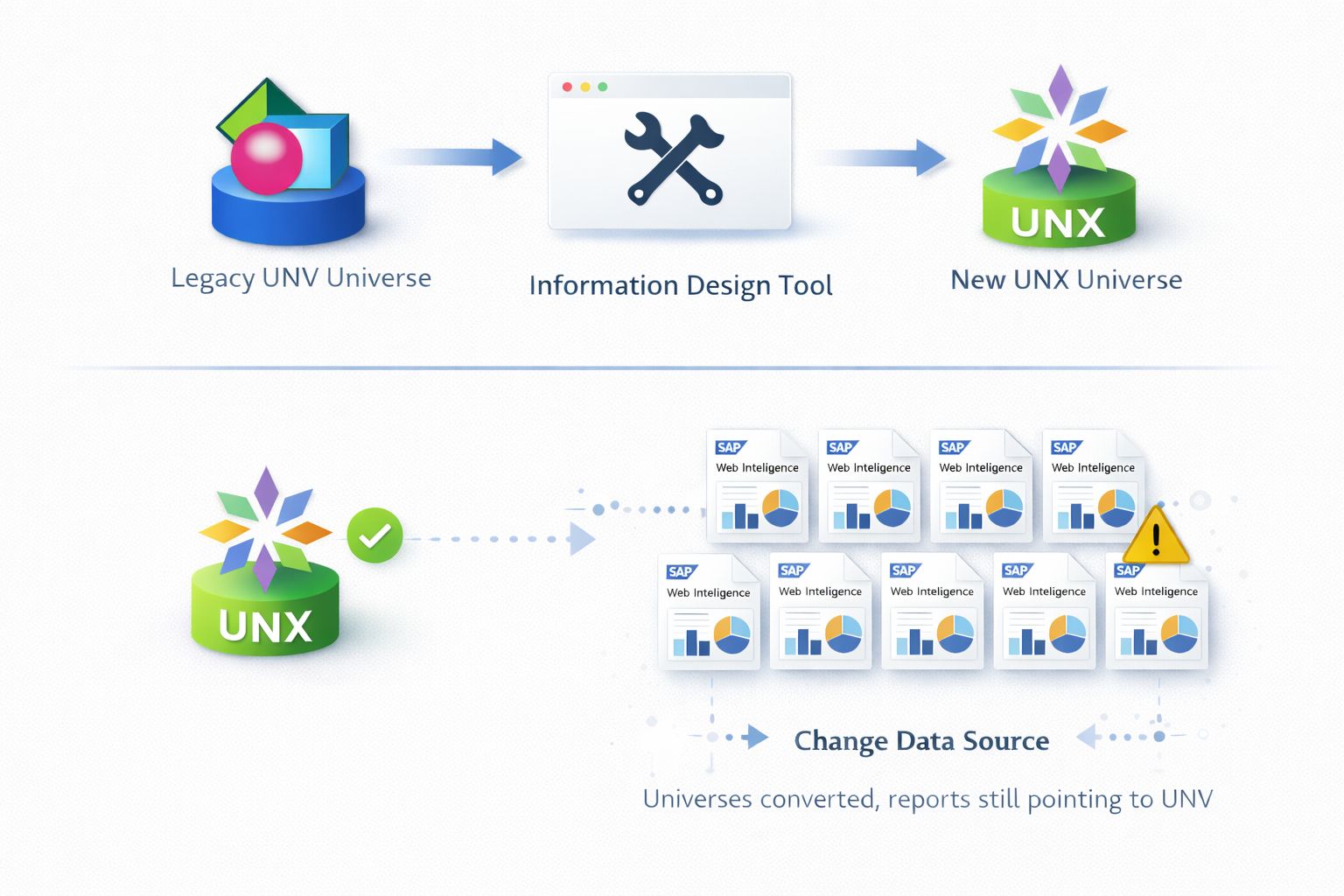
1) Convert the Universe (UNV → UNX)
Open the Information Design Tool (IDT), select the UNV universe, and launch the Convert Universe function.
Once the conversion is complete, the UNX must be reviewed and validated:
- Check connections and credentials
- Revalidate contexts and joins
- Identify objects that didn’t convert properly
So far, nothing dramatic.
Then come the more complex scenarios:
- Multi-Data Source universes
- No longer supported in SAP BI 2025
Must be split into multiple Single-Data Source universes
2) Update Reports (Change Data Source)
The universes are converted, the semantic layer work seems done—but Web Intelligence reports still point to the old UNV.
This means every report must be opened and manually updated by performing Change Data Source, replacing the reference with the new UNX, following the same sequence:
- Open the report: access the relevant Web Intelligence document
- Execute Change Data Source: start the data source replacement procedure
- Switch the reference: move from the old UNV to the new UNX
- Validate the report: ensure queries, objects, and results are correct
- Save: apply the change
On paper, the workflow looks simple and manageable.
The challenge is that this process isn’t executed once—it must be repeated consistently across the entire platform, without deviation and without losing control.
And this is where the context changes—not because the process is complex, but because the scale is massive. In mature SAP BO environments, built and layered over years, this workflow multiplies quickly:
- Thousands of universes
- Tens of thousands of WebI reports
- Up to 120,000 Change Data Source operations
At this point, the issue stops being an operational detail and becomes a scalability problem.
When Scale Changes Everything: Automation as the Only Way Forward
This is precisely where Databreeze comes into play—not as a shortcut, but as a paradigm shift.
Databreeze doesn’t treat UNV → UNX conversion as a series of isolated tasks. It manages it as a single governed process, end-to-end:
- Connects directly to the SAP BI platform
- Analyzes all UNV universes
- Performs mass conversion to UNX
- Handles complex cases, including Multi-Data Source universes
- Builds complete lineage between universes and reports
- Automatically opens impacted WebI documents
- Applies Change Data Source from old UNV to new UNX
What would otherwise require tens of thousands of repetitive operations, continuous report openings, and weeks—often months—of distributed manual work across multiple resources, becomes with Databreeze a single automated workflow: traceable, repeatable, and fully controlled, designed to operate at the real scale of the platform.
Not because the process itself changed—but because the scale at which it’s managed has.